 DimSite
One switch per site
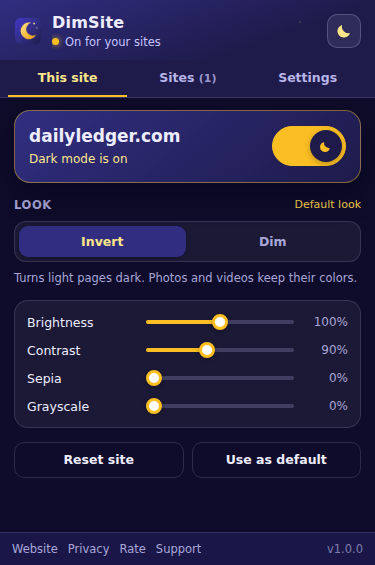
Turn dark mode on for the sites you read at night. Subdomains follow their parent site unless you say otherwise.
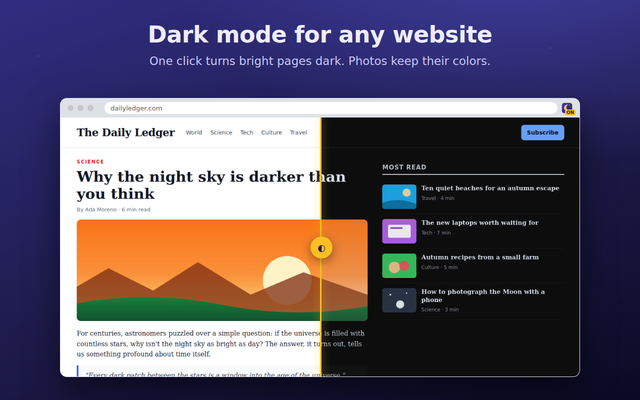
DimSite turns bright pages dark with one click and remembers your choice for every site. Photos keep their colors, and nothing ever leaves your browser.
Works in Chrome, Edge, Brave and other Chromium browsers.
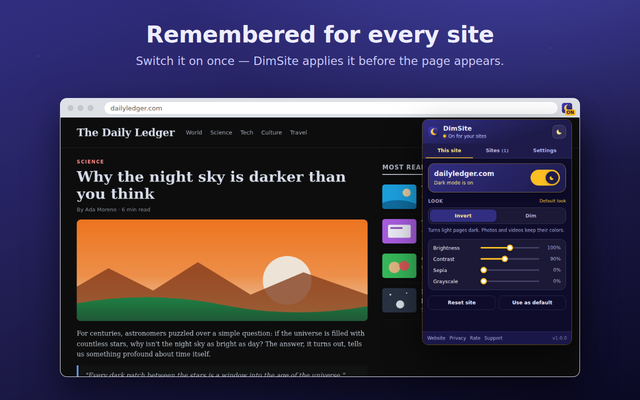
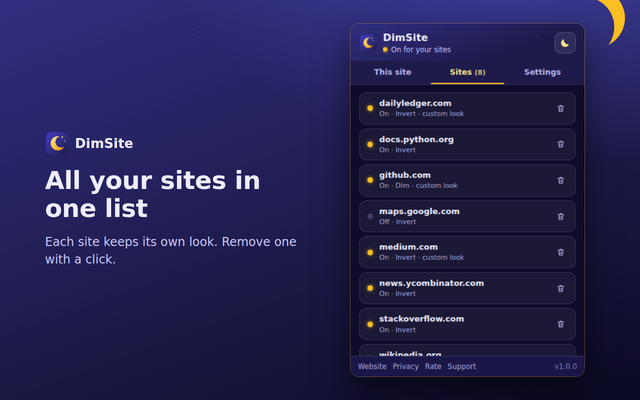
Not every page should look the same at night. DimSite keeps a separate setting for each site and applies it before the page appears.
Turn dark mode on for the sites you read at night. Subdomains follow their parent site unless you say otherwise.
Invert turns white pages dark while photos and videos keep their colors. Dim simply darkens a page that should keep its colors.
Brightness, contrast, sepia and grayscale with a live preview right on the page, saved for that site.
Only want dark pages after sunset? Set a window such as 20:00–07:00, and DimSite switches on and off by itself.
Pages that already have a dark design are recognized and left alone, so you don't get a light page by accident.
Press Alt+Shift+N or right-click the toolbar icon to toggle the current site without opening anything.
Add it from the Chrome Web Store and pin the moon icon to the toolbar.
Click the moon and flip the big switch, or press Alt+Shift+N.
Pick Invert or Dim and tune the sliders. DimSite remembers it for this site.
Yes. DimSite is free, with no ads and no premium tier.
To darken a page before it appears, its small stylesheet must load on every page you open. It only changes colors; it does not read or send page content.
No. In Invert mode, images, videos, canvases and background pictures are inverted back, so they keep their natural colors.
Try the Dim look for that site, adjust brightness or contrast, or switch DimSite off just for that site. Your choice is remembered.
Yes, if you allow DimSite in incognito on chrome://extensions. Settings are shared with normal windows.
Open Settings in the popup, click Export, and import the file on the other computer.